Piano trainer for iPad

Learn real piano. Not a piano game.

Built by a professional pianist and composer. Plug in any USB or Bluetooth MIDI keyboard and KeyStage reads exactly what you play, so you are never marked wrong when you got it right. Simple enough for kids, serious enough for adults.

Coming to the App Store. One email at launch, nothing else. See how it works

Now playing: Ode to Joy
Built by a pro pianist · and composer Any MIDI keyboard · even a fifty dollar starter 120+ public-domain pieces · free from day one 12 levels · first notes to Beethoven and Satie

The one rule

No microphone. No guessing. If you played it right, it counts.

KeyStage connects straight to your keyboard, so it scores the actual notes your fingers press. Not audio, not pitch estimates. That single rule keeps practice honest, and it keeps kids trusting the app: you are never marked wrong when you played it right.

What you actually learn

The real skills, not a game that looks like music.

Playing music takes three things. Most apps teach one and skip the rest. KeyStage builds all three from the first lesson.

Reading

Read the notes

Start with falling notes to find your way, then real sheet music takes over. You come out reading music, not chasing colored lights.

Rhythm

Keep the beat

Tap and clap drills scored on timing, with a metronome you can feel. Quarter notes to eighths to sixteenths, one steady step at a time.

Ear

Train the ear

Hear a note or a chord and find it on the keys. Real ear training, answered by playing, not by tapping a multiple-choice button.

Rhythm, made visible

Real rhythm, not just tapping along.

Most apps score whether you hit the beat. KeyStage teaches the beat: what a quarter, eighth, sixteenth and triplet actually are, read in real notation, counted out loud, then played in time.

Rhythm Gym: reading eighth notes
Quarter1 beat
Eighth1/2 beat
Sixteenth1/4 beat
Triplet3 in 1 beat

Every value gets its own lesson, its counting in numbers or syllables, and a tap-along drill scored on timing.

How it works

Three steps, one honest loop.

No setup wizards, no calibration, no listening through a tinny microphone. The keyboard tells KeyStage everything.

Step 1

Plug in your keyboard

Any MIDI keyboard, over USB or Bluetooth. A fifty dollar starter works perfectly.

Step 2

Pick a song or lesson

The notes light up and fall in time. In wait mode the app pauses until you find the right key, so nobody feels lost.

Step 3

Play, and see how you did

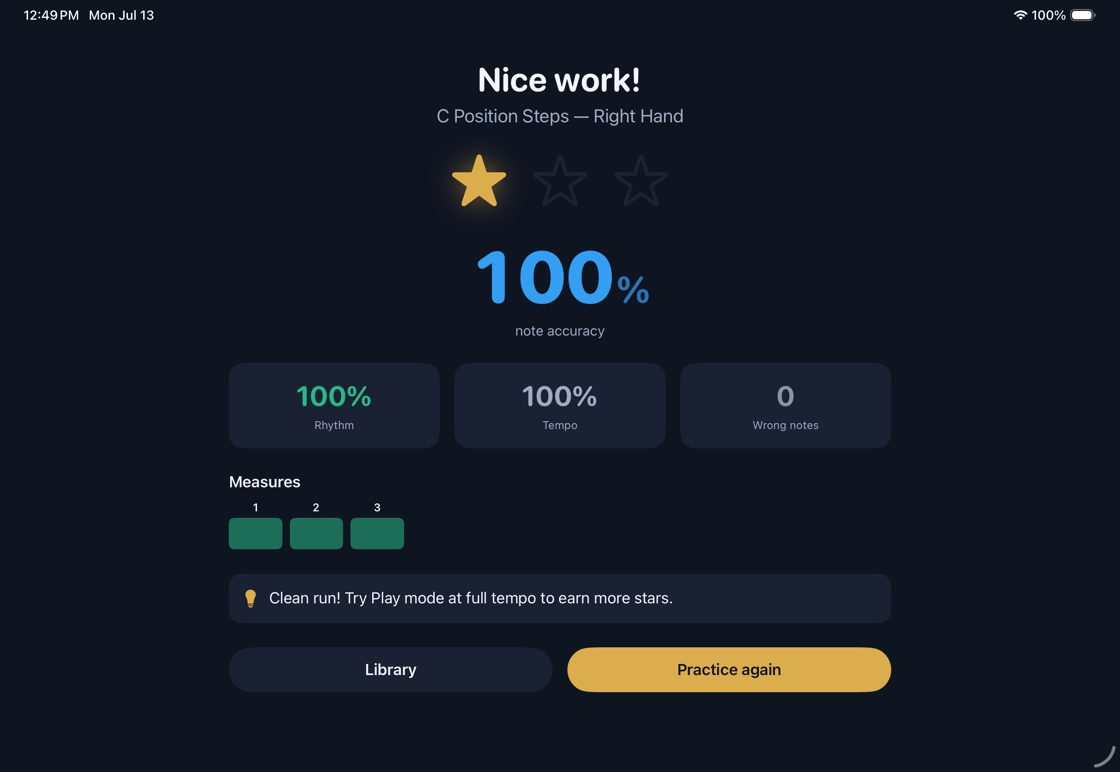
Accuracy, rhythm and the exact bars to practice next. Honest feedback, because it heard every note correctly.

Grows with them

From first notes to real pieces.

Twelve clear levels carry a beginner from a five-finger tune to Beethoven and Satie. There is always an obvious next step, so kids keep going instead of hitting a wall and quitting.

  • 1
    Any age, one path. The same real curriculum, paced gently for kids and quicker for grown-ups.
  • Motivation that stays clean. Daily streaks, practice points and mastery stars. No loot boxes, no cartoons, no dark patterns.
  • A visible skill tree. You can always see how far you have come and what unlocks next.

Levels 1 to 12, roughly prep through grade 3.

See it in action

What practice actually looks like.

A calm, grown-up interface built for focus, not noise. Same app, whether it is a six-year-old or an adult beginner.

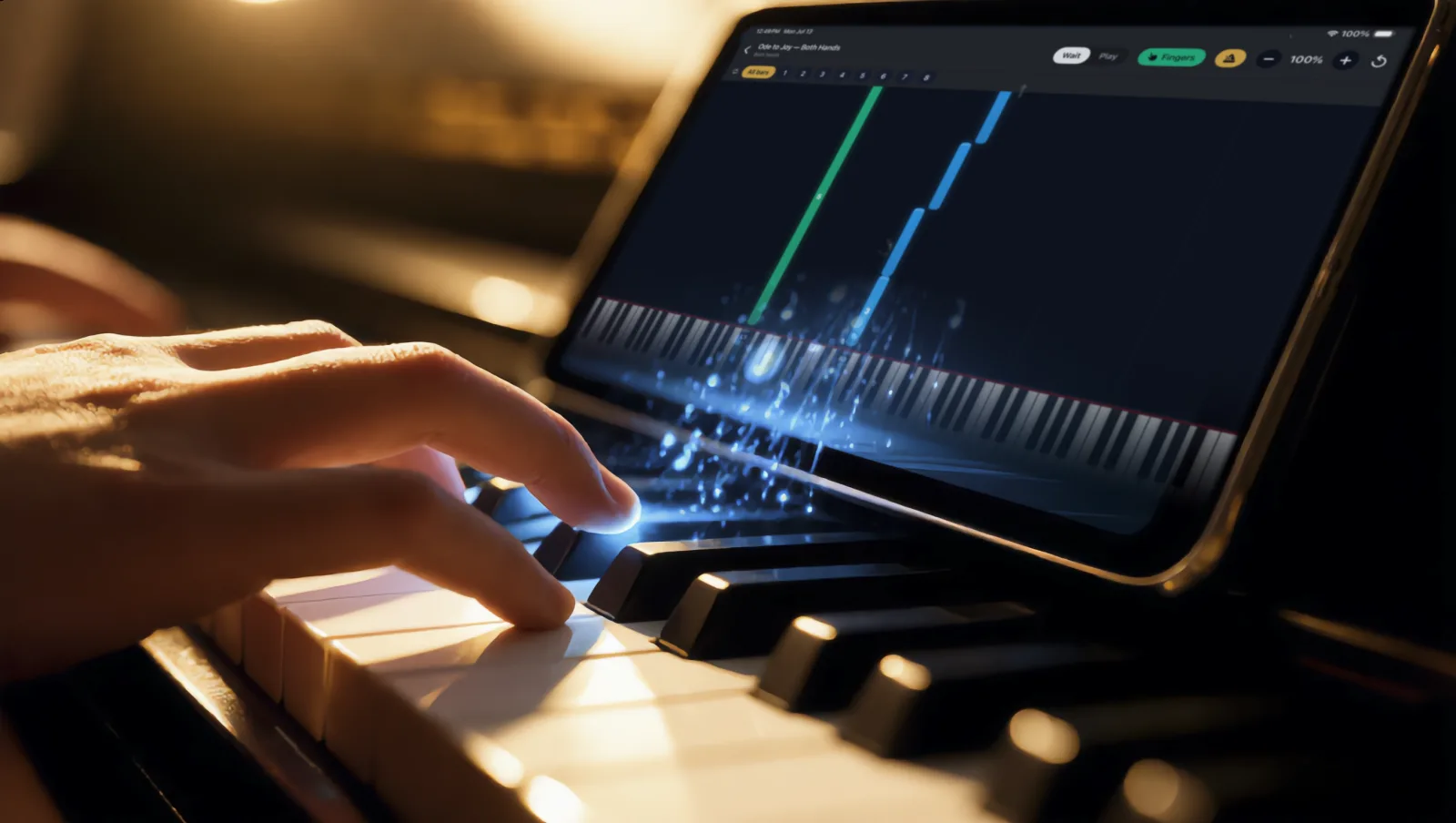
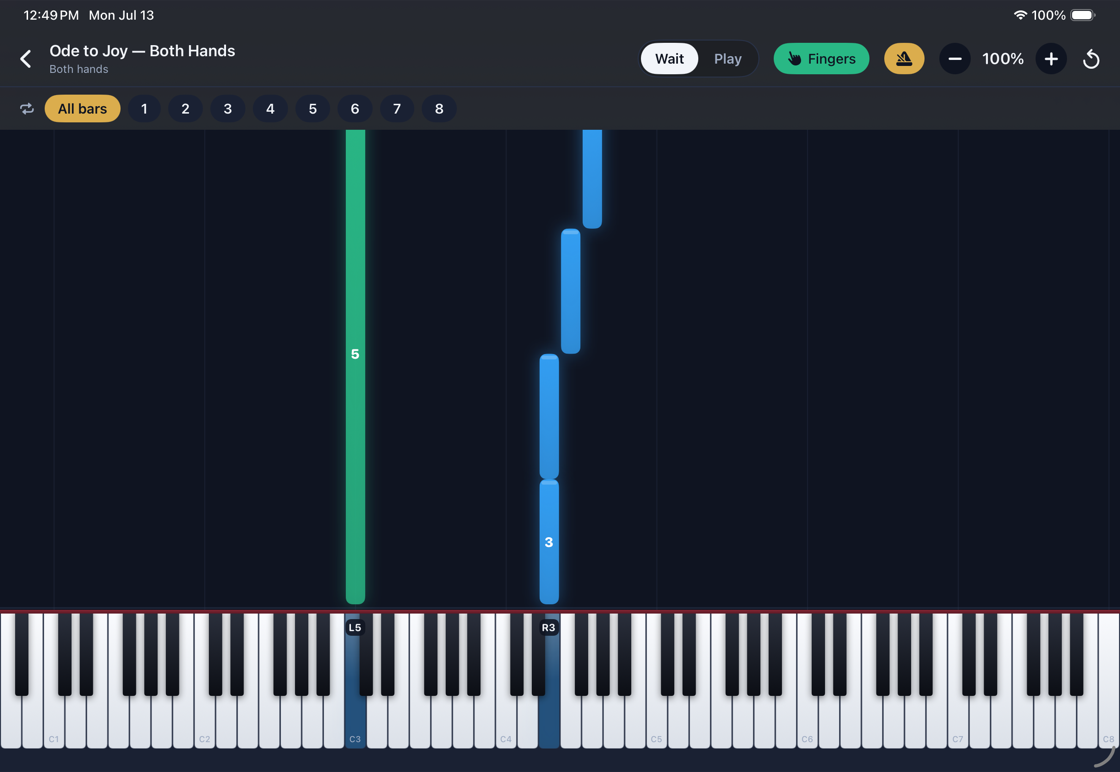
The KeyStage player: blue and green notes falling onto a full 88-key on-screen keyboard while playing Ode to Joy with both hands
Learn by playingNotes fall onto a real 88-key keyboard, color-coded by hand. Wait mode pauses until you find the right key.
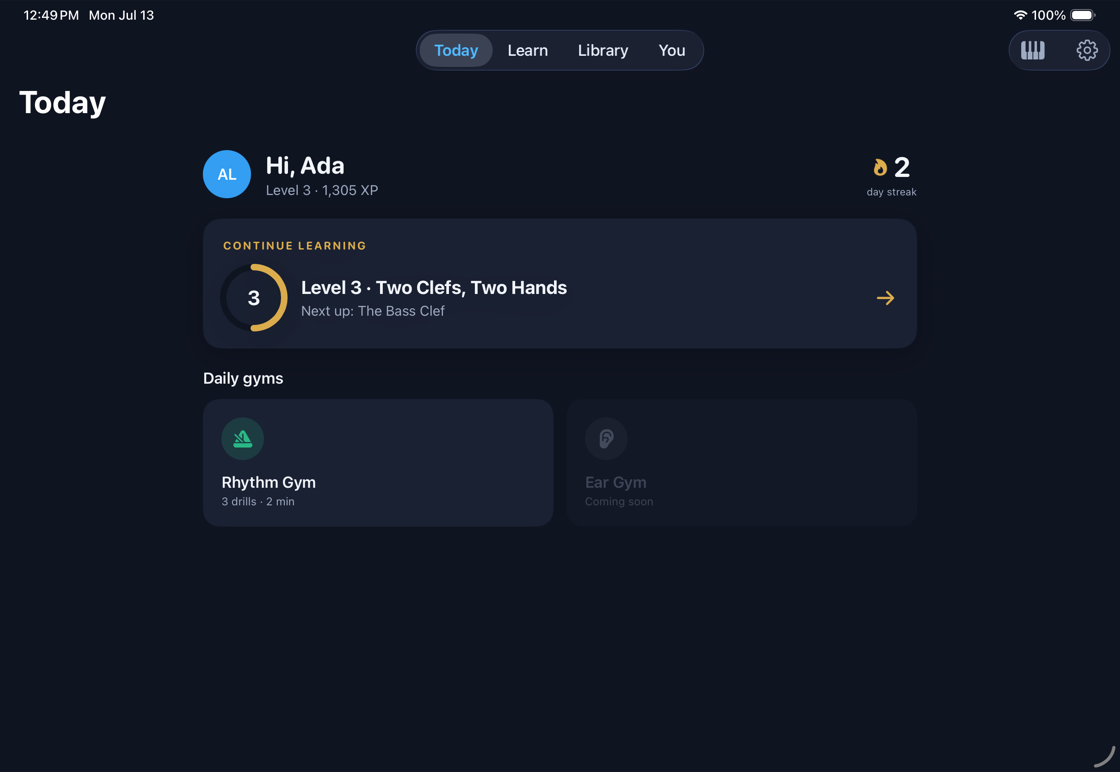
The Today screen: greeting, streak counter, the next lesson in Level 3, and the daily rhythm gym
Your day at a glanceStreak, the next lesson, and the daily gyms.
A results screen showing 100 percent note accuracy, rhythm and tempo scores, and a per-measure heatmap
Honest feedbackAccuracy, rhythm, and the exact bars to practice next.
Bring your own music, coming soon

Photograph a song you own. Play it that day.

A built-in scanner turns your sheet music into a fully playable lesson, with the same wait mode, tempo control and looping as everything else. And over a hundred public-domain pieces are free from day one.

120+
free pieces
to start

Why KeyStage exists

I have played and written music professionally for most of my life, but KeyStage really began when I had kids and wanted them to learn. I went looking for an app I could hand them, and I could not find one whose skills carried over to a real piano. The popular ones turn piano into a game, which is wonderful for getting a child to sit down and try. The trouble is what comes next: there is no bridge from the game to an actual keyboard, real notation, and real rhythm. So I built the bridge. KeyStage keeps what makes those apps engaging, connects straight to your real keyboard, and scores the actual notes you play, so it is real music from the very first lesson. If you learn with it, you are learning the piano, not the app.

Questions

Before you ask.

Which keyboards work with it?

Any keyboard or digital piano that speaks MIDI, connected over USB or Bluetooth. That covers nearly everything made in the last two decades, including fifty dollar starter keyboards. Smaller keyboards work too; the app shows you where you are on the full range.

Does it need an internet connection?

No. Lessons, the rhythm gym and the whole free library live on the iPad, so practice works offline, in the car, or at grandma’s house.

Is it only for kids?

It is for anyone starting the piano. Kids and adults follow the same real curriculum; the pacing simply adapts. Plenty of grown-ups use it as their first honest teacher.

What will it cost?

Pricing will be announced at launch. Whatever the number is, over a hundred public-domain pieces stay free, and there will never be loot boxes, ads or pay-to-progress mechanics.

When does it launch?

KeyStage is coming to the App Store for iPad, iPadOS 17 and up. Join the list above or below and you will get exactly one email the moment it is live.
Get KeyStage

Sit down at real keys.

Add your email and we will tell you the moment KeyStage is live on the App Store.